
AI Christmas Desktop Wallpaper: 16 Original Prompts
Create an AI Christmas Desktop Wallpaper that fits your screen and keeps icons clear. Explore 16 ready-to-use prompts, layout tips, and portrait edits.
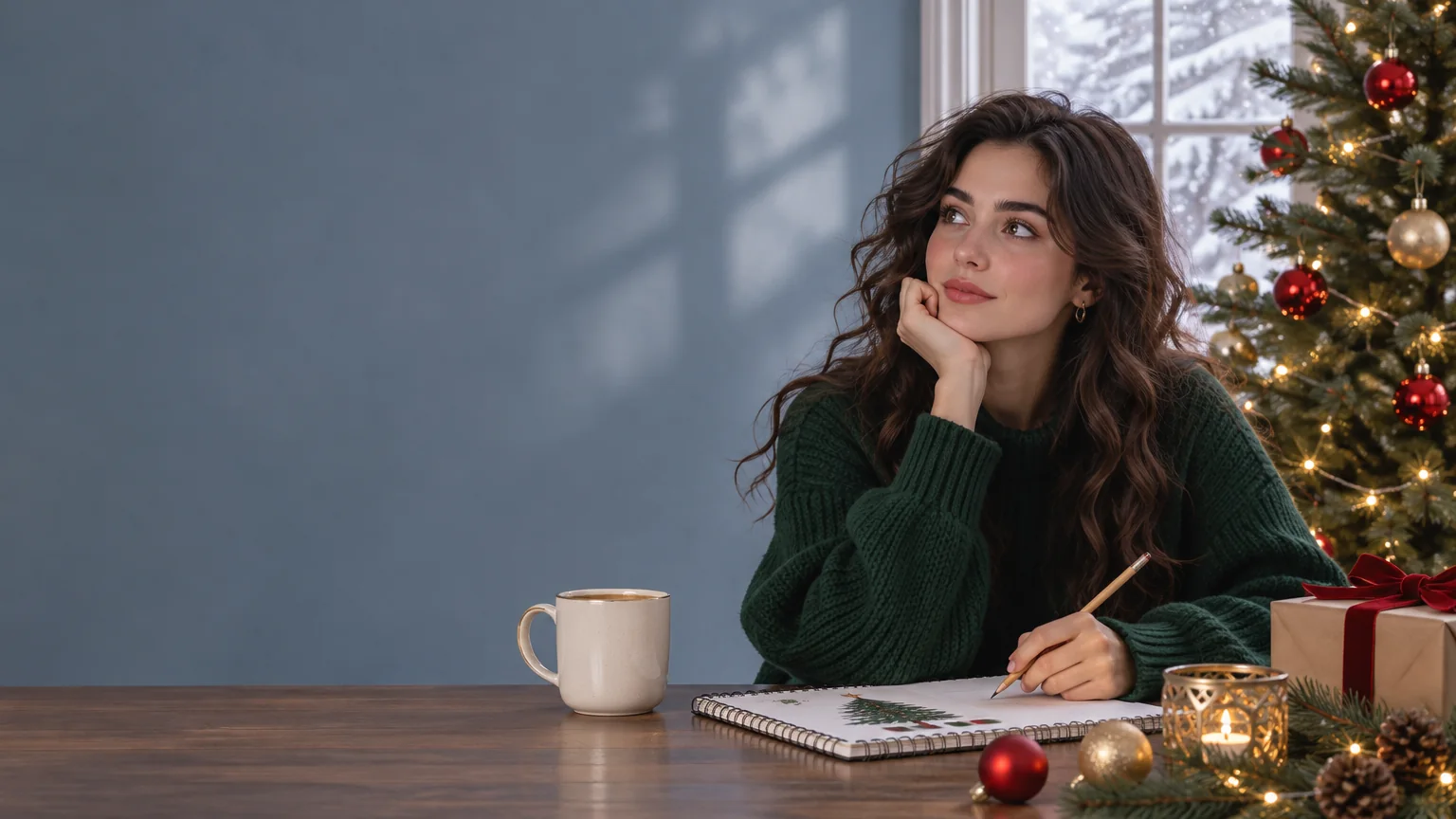
An AI Christmas Desktop Wallpaper works best when its festive subject, negative space, and screen shape are planned together. Below are 16 original prompts for 16:9, 16:10, and ultrawide displays, plus practical ways to adapt each scene with PandaWig’s portrait-focused hair color changer.
What's new on this page
- 2026-11-26 — Page published. Added original Christmas desktop wallpaper prompts with screen-ratio and icon-space tips.
Design for the desktop before you generate
A wallpaper is a working background, not just a holiday illustration. Decide where your desktop icons cluster and where your taskbar or dock sits before choosing a focal point. Keep faces, gifts, ornaments, and other important details away from those areas; use snow, sky, or softly lit walls as breathing room.
Use the aspect ratio that matches your display. A 16:9 image suits many standard widescreen displays; 16:10 is taller, while ultrawide screens need a much wider composition. If your tool offers a size or aspect-ratio setting, choose the closest match before generating. If it does not, include the ratio in your prompt, then crop carefully: keep the subject inside the safe area and check what the crop removes.
| Display shape | Prompt direction | Keep clear |
|---|---|---|
| 16:9 | Balanced landscape with a distinct focal point | Lower edge for the taskbar or dock |
| 16:10 | Slightly taller scene with room above and below | Bottom corners where icons may sit |
| Ultrawide | Long horizontal sweep; place subject off-center | Both outer edges and the bottom strip |
Treat these as composition cues, not guaranteed output dimensions. Check the generated image against your display before setting it as wallpaper.
Cozy and softly lit
-
Window-seat cocoa — 16:9. “A quiet Christmas evening in a small apartment, a young woman with a natural curly hairstyle seated at the far right beside a rain-speckled window, holding cocoa, warm tree lights behind her, broad uncluttered shadowed wall across the left half, gentle cinematic realism, keep the lower edge simple for a desktop dock, 16:9 landscape.”
-
Cabin reading nook — 16:10. “A peaceful winter cabin reading corner, portrait subject in a cream sweater seated in the upper-right third with a book, softly glowing fireplace and evergreen garland in the background, open wood floor along the bottom, muted amber and pine palette, detailed but calm, 16:10 landscape.”
-
First snowfall — ultrawide. “A wide view through a cozy home window onto a snowy garden at dusk, a woman with a sleek bob standing in the right third, warm indoor reflections and subtle Christmas lights, expansive softly blurred blue snow across the left, refined photographic style, clear bottom strip, ultrawide composition.”
-
Handmade ornaments — 16:9. “A close, intimate holiday craft table with a smiling person in the right third painting a simple wooden star, evergreen branches and a few ornaments near the far-right edge, large clean cream wall on the left, soft daylight, natural skin and hair detail, avoid clutter along the bottom, 16:9.”
Snowy and cinematic
-
Lantern path — 16:9. “A solitary woman in a red wool coat standing on the right side of a snowy pine path at blue hour, holding a small lantern, distant warm cabin lights, falling snow concentrated behind her rather than across the left half, cinematic winter color, unobstructed lower-left space, 16:9.”
-
Frosted greenhouse — 16:10. “Inside a glass greenhouse edged with frost, a portrait subject with long dark waves stands in the upper-left third among restrained evergreen branches and white flowers, pale winter garden visible through the panes, soft silver-green palette, bright open lower-right area, elegant editorial realism, 16:10.”
-
Village overlook — ultrawide. “A panoramic Christmas village beneath fresh snow, tiny glowing windows across the horizon, one bundled-up figure seen from behind positioned just right of center, broad lavender twilight sky and quiet snowfield to the left, crisp but not busy, reserve a clean lower band for the dock, ultrawide landscape.”
-
Snow globe still life — 16:9. “A single glass snow globe with a tiny evergreen village on a table at the far right, a person’s hand gently setting it down, soft reflected tree lights, spacious deep-green background on the left, close-up photographic detail, restrained bokeh, keep the bottom edge low contrast, 16:9.”
Playful and colorful
-
Candy-cane studio — 16:9. “A cheerful portrait of a person with a short textured hairstyle wearing a red-and-ivory knit scarf, standing in the far-left third against a simple blush-pink holiday studio, a few oversized candy-cane shapes on the right, playful polished lighting, broad uncluttered center, 16:9.”
-
Paper-star party — 16:10. “A joyful holiday room decorated with handmade paper stars, a person in a forest-green outfit smiling in the right third, colorful folded-paper ornaments floating visually above but not overlapping the face, pale mint wall and open floor, graphic editorial style, tidy lower-left space, 16:10.”
-
Retro tree lights — ultrawide. “A nostalgic mid-century living room stretching across an ultrawide frame, sculptural Christmas tree at the far left, portrait subject in a mustard sweater at the right third, warm red and teal accents, generous quiet wall through the center, soft film-inspired texture, uncluttered bottom edge.”
-
Gingerbread bakery — 16:9. “A festive home bakery scene with a person in an apron holding a decorated gingerbread star in the right third, a few cookies and evergreen sprigs at the far-right counter, warm window light, open pale tiled wall across the left, charming realistic illustration, no busy details near the dock, 16:9.”
Minimal and elegant
-
Evergreen silhouette — 16:9. “Minimal Christmas portrait, a woman with a low bun standing in profile at the far right, a single fine evergreen branch and tiny warm lights behind her, matte charcoal-green wall filling most of the frame, subtle softbox glow, refined negative space on the left, 16:9.”
-
Ivory and gold — 16:10. “A calm ivory holiday interior with one slender gold-accented tree on the left and a portrait subject in a simple cream outfit on the right, delicate warm lights, smooth plaster wall, understated luxury, clear open floor and no small decorative clutter, 16:10 landscape.”
-
Winter botanical — ultrawide. “An elegant panoramic winter botanical composition, a portrait subject with shoulder-length copper hair placed near the right third, sparse frosted branches framing the far edges, pale stone and cool sage background, soft natural light, wide central negative space and a quiet bottom strip, ultrawide.”
-
One red ornament — 16:9. “A minimalist close-up portrait with a person in a dark evergreen top placed on the left third, one glossy red ornament hanging at the far right, softly blurred neutral background, controlled highlights, natural facial features and hair, generous empty space between subjects, 16:9.”
Adapt the prompts for PandaWig
PandaWig’s tool is designed around a portrait: upload a photo, choose a hair shade or describe one, and ask to preserve the hairstyle and facial features. To adapt a prompt, keep its layout and lighting directions, then add a clear portrait instruction such as: “Use my uploaded portrait as the person; preserve my facial features and hairstyle; change only my hair color to a subtle chestnut auburn; keep the person in the right third.”
For a background-friendly result, be explicit about placement and empty areas: “Keep my face fully visible, place me away from the lower-right dock, and leave the left half uncluttered for icons.” Choose a shade that suits the scene rather than asking for a whole new character or elaborate action. The prompts above describe complete wallpaper concepts; the tool’s stated purpose is changing hair color in a portrait, so use the scene details as composition inspiration and follow the controls available in the product.
If you want a separate avatar from a portrait, see the AI Profile Picture Generator. For more hairstyle inspiration before choosing a color, browse the AI Short Hair Filter guide.
FAQ
What aspect ratio should I use for my desktop?
Match the ratio shown in your display settings when possible. Use 16:9, 16:10, or an ultrawide ratio as a composition guide, and preview the crop before applying the image.
Where should the main subject go?
Place the face and key holiday details away from your usual icon area and the taskbar or dock. A third of the way in from an edge often leaves useful open space on the other side.
How do I keep desktop icons readable?
Ask for a calm, low-detail area behind them, such as a plain wall, sky, or softly blurred snow. Avoid bright ornaments and high-contrast branches in the same zone.
Can I use these prompts with my portrait?
Use them as layout inspiration, then upload a portrait and specify the hair shade you want while asking to preserve your hairstyle and facial features. Keep the requested edit focused on hair color.
For a portrait-led holiday look, start with the AI Profile Picture Generator and adapt the composition ideas above to your screen.