
Cyber Monday Campaign Ideas for Visual-First Small Shops
Explore Cyber Monday Campaign Ideas for small shops and creators, with a practical 2026 timeline, portrait-led promotions, and visual asset plans.
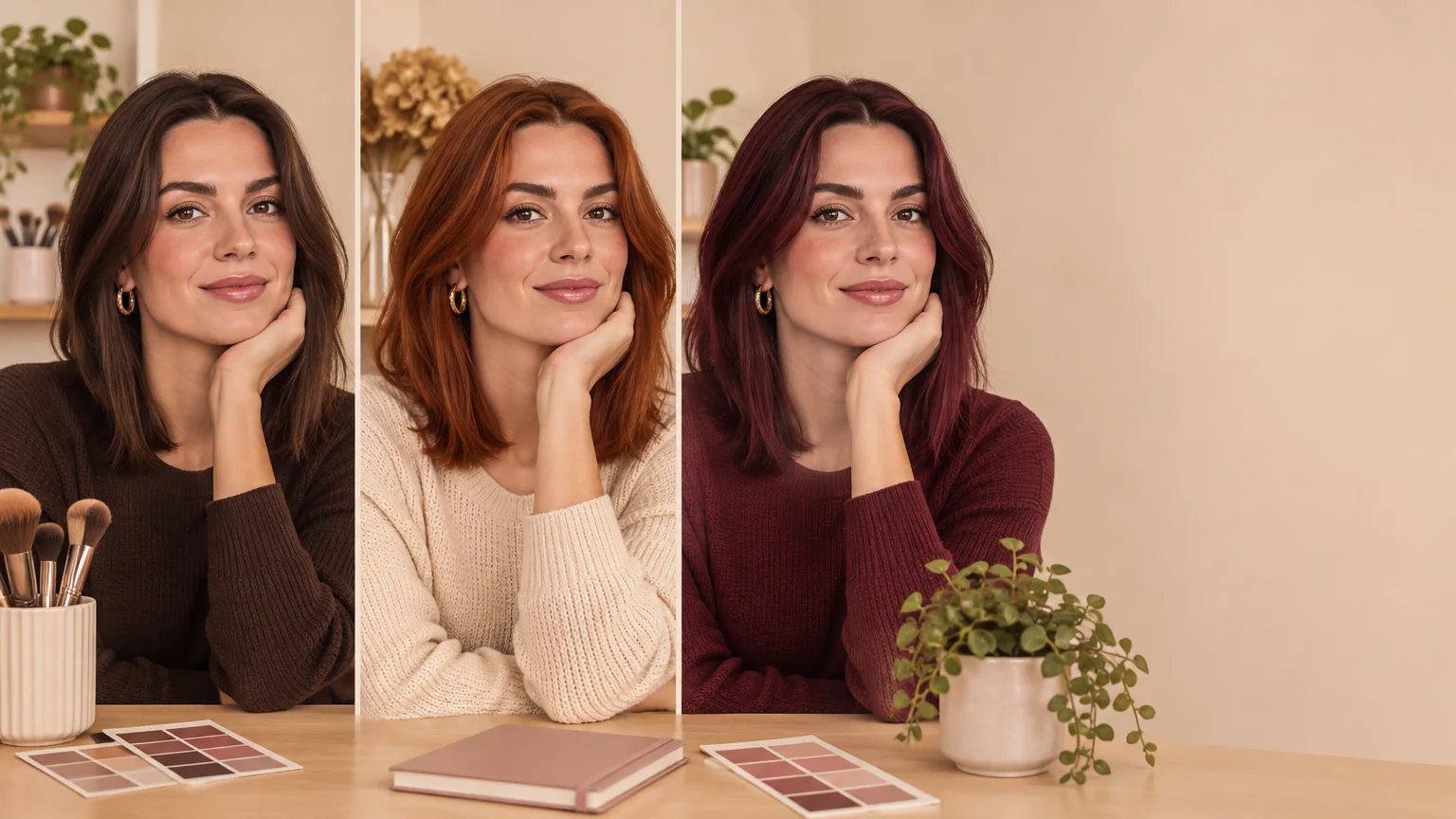
Cyber Monday Campaign Ideas work best when every promotion has a clear offer, a specific audience, and a visual that explains the value at a glance. For small online businesses and creators, portrait-led creative can make a beauty, fashion, or personal-brand campaign feel distinctive without requiring a full photoshoot. Here are practical ideas, a 2026 planning timeline, and ways to create supporting visuals with PandaWig’s AI hair color changer.
What's new on this page
- 2026-11-26 — Page published. Added Cyber Monday 2026 campaign ideas with a date plan and the visual each needs.
Start with a campaign system, not a pile of posts
Before making images, choose one offer and one visual direction. Decide what shoppers should do, who the promotion is for, and what must stay consistent across your email, product page, and social posts. A simple creative brief might read: “Show a customer considering a warm copper hair color; preserve her face and hairstyle; leave space on the right for offer copy.”
PandaWig lets you upload a portrait, choose a hair-color shade or describe one, and ask the tool to preserve the hairstyle and facial features. Treat the output as a visual concept or campaign asset, then check it carefully for fidelity and fit before publishing. Don’t rely on the image to communicate terms: put the actual offer, eligibility, and deadline in your own copy.
A short 2026 timeline
| Date | Campaign task |
|---|---|
| Monday, November 23 | Finalize the offer, landing page, email segments, and visual brief. Create core images and review them on mobile. |
| Tuesday–Wednesday, November 24–25 | Schedule teaser content and prepare alternate crops. Confirm that discount details, exclusions, and end times match across channels. |
| Thursday, November 26 — Thanksgiving | Publish a light teaser or early-access message if it suits your audience. Keep the call to action and timing clear. |
| Friday, November 27 — Black Friday | Run the main promotion or a distinct first phase. Track questions and correct any confusing copy promptly. |
| Saturday–Sunday, November 28–29 | Refresh creative, feature a different use case, or remind interested shoppers of the offer terms. |
| Monday, November 30 — Cyber Monday | Publish the final campaign phase with its real deadline. Remove or update expired promotions afterward. |
12 campaign ideas, with the visual each needs
Choose the ideas that fit your inventory and audience; you don’t need to run all twelve. Each visual can be adapted for an email header, a product page, or a social post. Keep promotional text in your design or publishing tool rather than asking an image generator to render small, precise lettering.
-
The shade-of-the-season edit. Feature a few colors that suit the season, each paired with a product or service. Asset: a portrait triptych with distinct hair shades and consistent framing. Use the same portrait and request a separate shade for each version, preserving face and hairstyle.
-
A first-time customer welcome. Introduce your offer to people who haven’t bought before. Asset: a friendly, close-up portrait with uncluttered background space. Ask for a subtle color change that supports your brand palette, then add the welcome message separately.
-
The creator’s signature look. Tie a creator’s recognizable style to a limited campaign or digital product. Asset: a polished profile portrait in the creator’s usual hairstyle, shown in a fresh shade. Upload a suitable portrait and describe the shade while explicitly asking to retain facial features and the hairstyle.
-
A gift-guide feature. Present a giftable service, consultation, or product bundle without implying that the image itself is the gift. Asset: a portrait-led editorial image with a clean area for a gift-guide label. Generate a hair-color variation that fits the guide’s palette and add accurate offer details afterward.
-
The before-and-after concept. Show the appeal of trying a new look, while making clear that the image is an AI-generated visualization if that distinction matters to your audience. Asset: two consistent portrait panels. Use one source portrait, generate one chosen shade, and keep the crop and layout aligned.
-
A “choose your mood” poll. Invite followers to select between two campaign directions. Asset: paired portraits with contrasting but coordinated shades. Create a separate version for each option and label the choices in the post, not inside the generated image.
-
The product-pairing story. Connect a product, service, or tutorial to a particular hair-color mood. Asset: a portrait crop alongside a product photo. Generate the portrait variation, then assemble it with a real product image in your usual layout tool.
-
A small-business founder note. Give the promotion a personal voice by showing the maker or founder. Asset: a natural founder portrait with a campaign-appropriate color treatment. Use a portrait you have permission to use, request a restrained shade shift, and preserve recognizable features.
-
The consultation add-on. If your business genuinely offers a consultation, present it as a separate option or bonus with clear terms. Asset: a portrait with a considered, studio-like look. Generate a color concept that feels relevant to the consultation, and state exactly what is included in the offer.
-
The last-day reminder. Bring attention back to an offer that is actually ending. Asset: a high-contrast portrait crop with open space for a deadline. Create a campaign-matched shade variation and place the verified end date and time in the final artwork.
-
A customer-style inspiration board. Help shoppers compare directions before they choose. Asset: a small grid of portraits showing different color families. Generate each variation from an appropriate portrait and keep lighting, crop, and presentation consistent where possible.
-
A post-purchase care or styling guide. Extend the campaign beyond the checkout with useful guidance related to your offering. Asset: a portrait paired with a short set of care or styling tips. Use a shade that fits the guide, then write advice that is accurate for your product or service.
For further portrait concepts, PandaWig’s AI Profile Picture Generator can help frame a profile-focused visual, while the ChatGPT Photo Editor guide covers instruction-led image editing ideas.
Make a small set of visuals work harder
A practical asset set might include one wide email image, one square social crop, and one portrait crop for a story or product page. Start with a clean, well-lit image in which the hair is visible. Upload it, choose a shade or describe the color, and include precise instructions such as “keep the same haircut, face, expression, and background; change only the hair color to a muted auburn.”
Review the result at its intended size. Look for color spill onto skin or clothing, inconsistent strands, or a change to features you wanted to preserve. If the image doesn’t fit, revise the prompt or choose a different portrait rather than presenting an unsuitable result as a faithful preview. Use images only with appropriate permission, and don’t suggest an AI visualization guarantees how a real color or product will look.
Keep a simple asset checklist:
- Offer: Does the image support the actual promotion?
- Consistency: Do the portrait, shade, and crop belong to the same campaign?
- Clarity: Is there room for readable copy outside the generated image?
- Accuracy: Do the message and deadline match the live offer?
- Accessibility: Does the image have useful alt text, and is key information also written in text?
FAQ
When is Cyber Monday in 2026?
Cyber Monday is Monday, November 30, 2026. Thanksgiving falls on Thursday, November 26, and Black Friday on Friday, November 27.
How many campaign ideas should a small shop use?
Start with one main promotion and a few supporting messages. Select ideas that fit your product, audience, and production capacity rather than trying to publish all twelve.
Can PandaWig create the offer text on an image?
Use PandaWig for the portrait’s hair-color visualization and add offer text separately. That gives you more control over wording, readability, and accurate terms.
What should I check before publishing an AI hair-color image?
Check that the face and hairstyle remain suitable, the color treatment looks appropriate at the final size, and the image doesn’t imply a guaranteed real-world result. Confirm permissions and make promotion details clear in the accompanying copy.
For a portrait-led campaign starting point, try the AI Profile Picture Generator and build your Cyber Monday visuals around a shade that fits your actual offer.